Soluna Calendar
Gregorian and Hijri, together in your menu bar
Launch offer · 30% off with code LAUNCH, applied automatically when you buy direct.
Overview
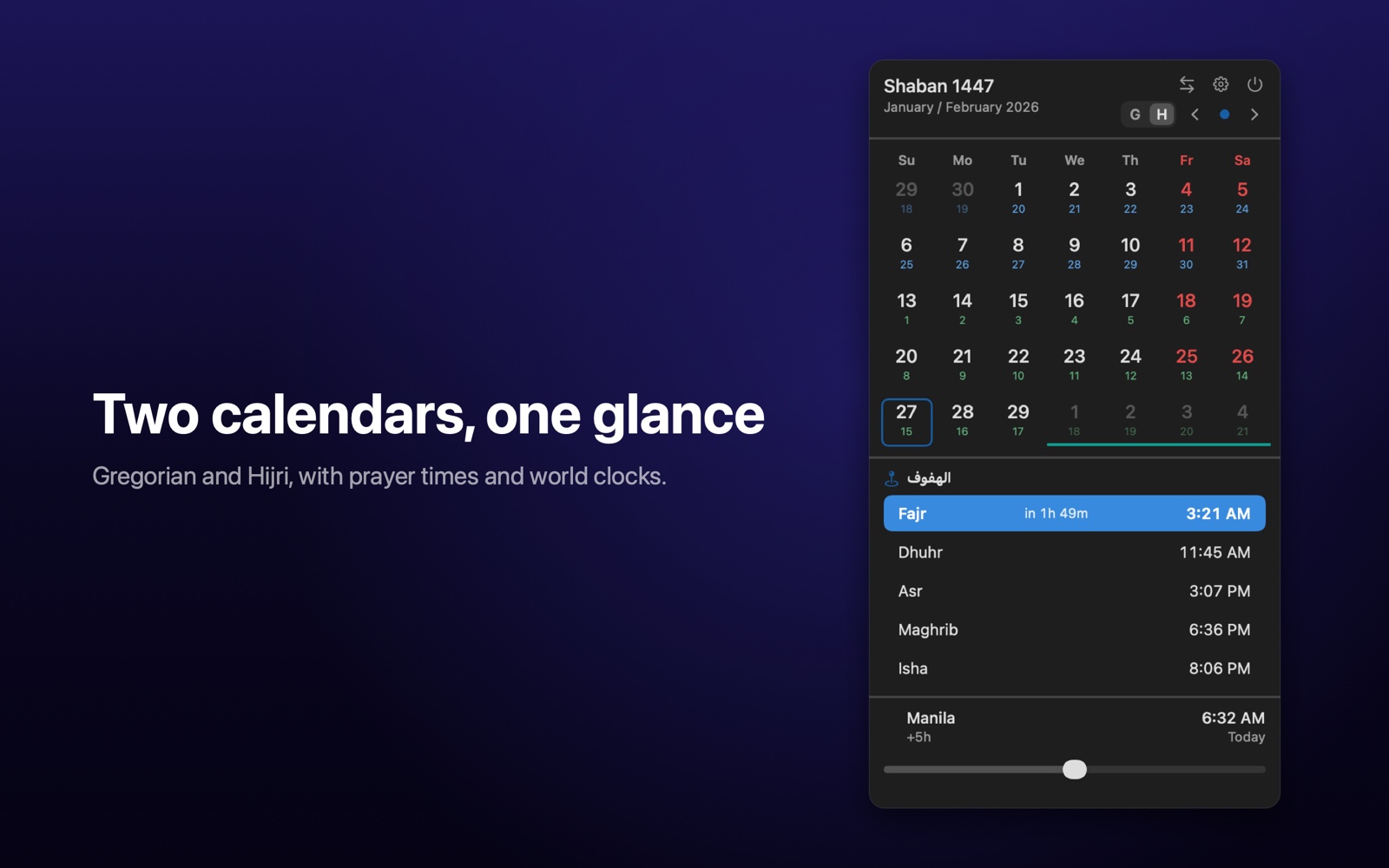
Soluna lives in your menu bar and opens a compact popover that pairs the Gregorian and Hijri (Umm al-Qura) calendars in one grid, so the two date systems are always visible at a glance. Below the grid it shows the five daily prayer times for your location, a row of world clocks with a time scrubber for comparing zones, and a ribbon of upcoming occasions that covers Islamic events like Ramadan and Eid alongside your own custom dates. A built-in Hijri and Gregorian date converter works entirely offline using the system calendar engine, and moon phase glyphs reflect the lunar cycle.
If you grant calendar access, Soluna reads your Mac's events to mark days, list your daily agenda, and surface meeting join links for services like Zoom, Teams, and Google Meet, all without that data ever leaving your device. Prayer times come from the free public AlAdhan API, which receives only your coordinates and calculation preferences and is queried at most once per day. There are no accounts, no advertising, and no analytics. Soluna is built for macOS 13 and later, runs as a lightweight menu-bar utility, and was prepared for the Mac App Store for the Saudi Arabia region.
Features
-
Dual calendar at a glance
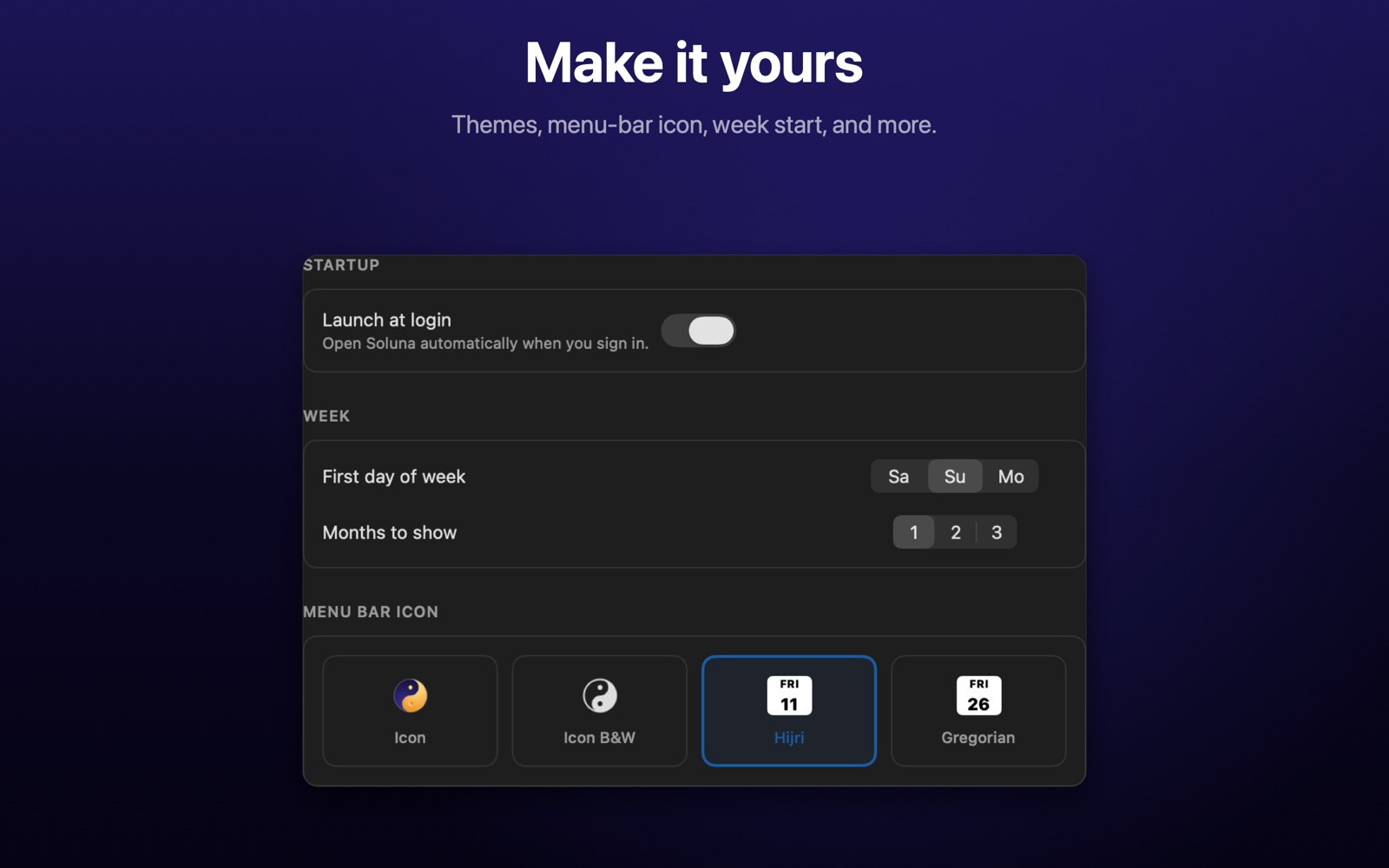
A single popover grid shows Gregorian and Hijri (Umm al-Qura) dates together, with a toggle for which system is primary and Arabic-Indic or Western numerals for the menu-bar day.
-
Daily prayer times
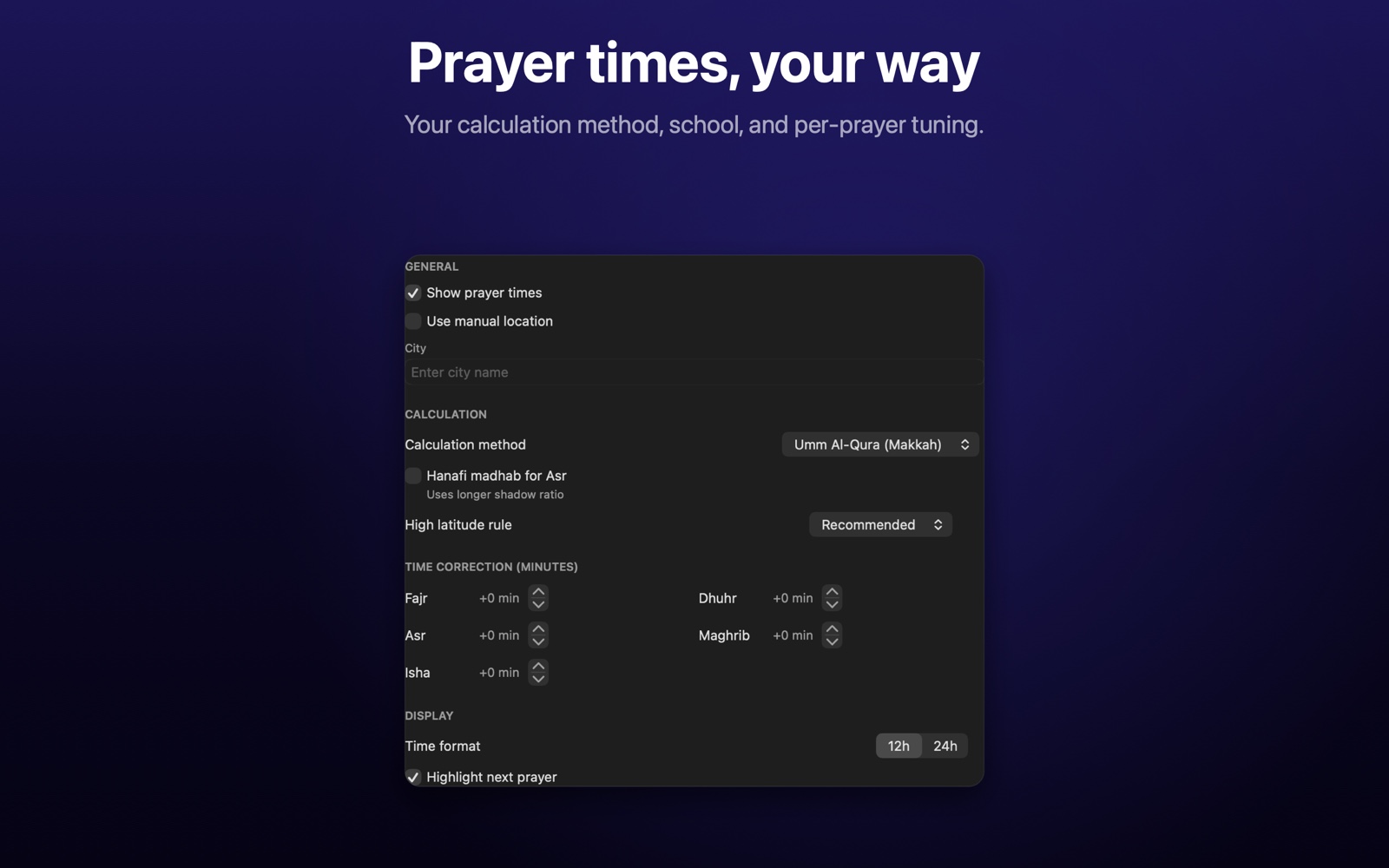
Shows the five daily prayers (Fajr, Dhuhr, Asr, Maghrib, Isha) for your location, with selectable calculation method, madhab, high-latitude rule, and per-prayer minute adjustments.
-
World clocks with a time scrubber
Add world-clock cities and drag a slider to compare times across zones; GMT offsets are derived live from the system time zone database, never hardcoded.
-
Occasions ribbon
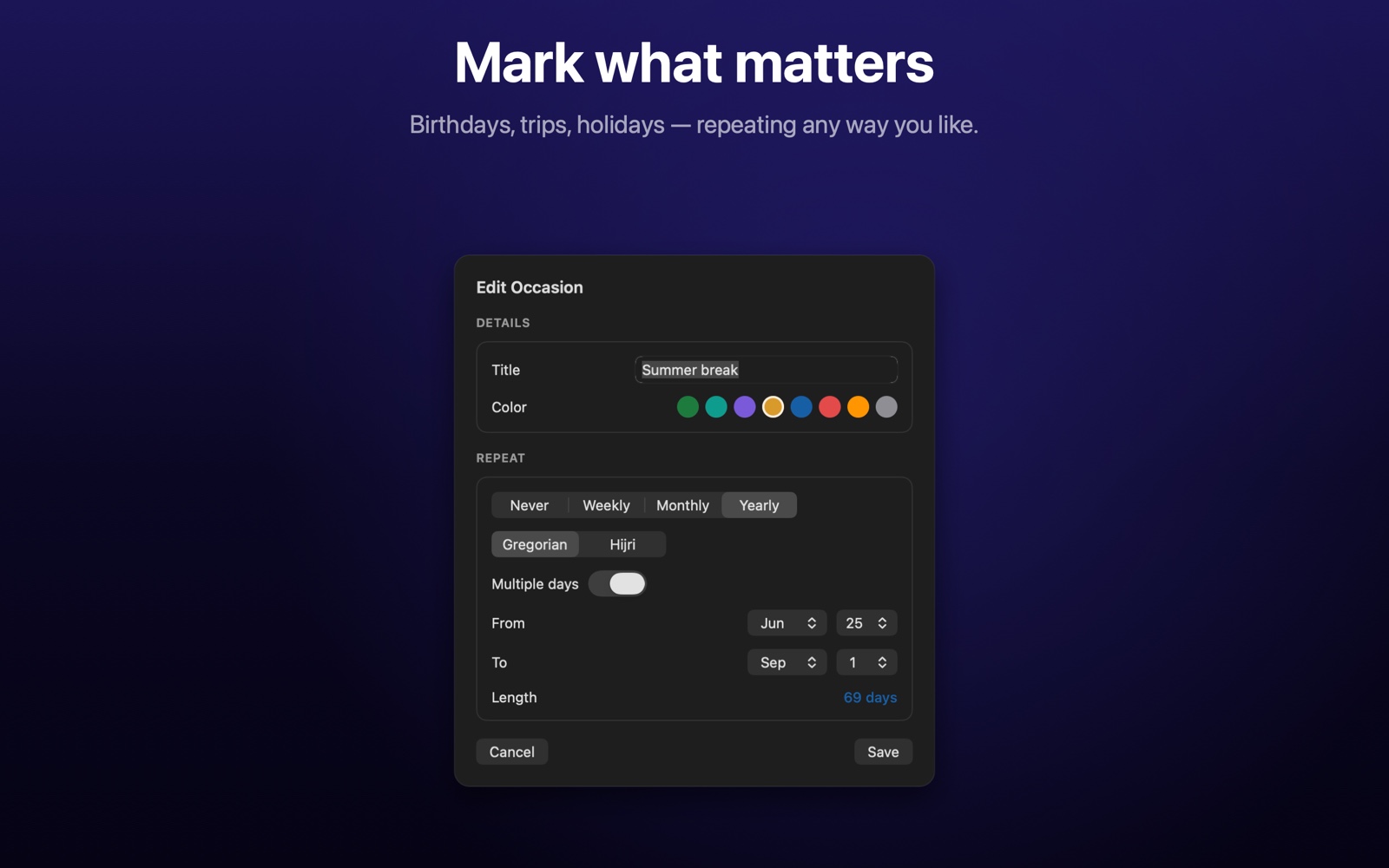
Highlights upcoming Islamic occasions such as Ramadan and Eid plus your own custom occasions, with multi-day spans shown across the calendar.
-
Offline Hijri and Gregorian converter
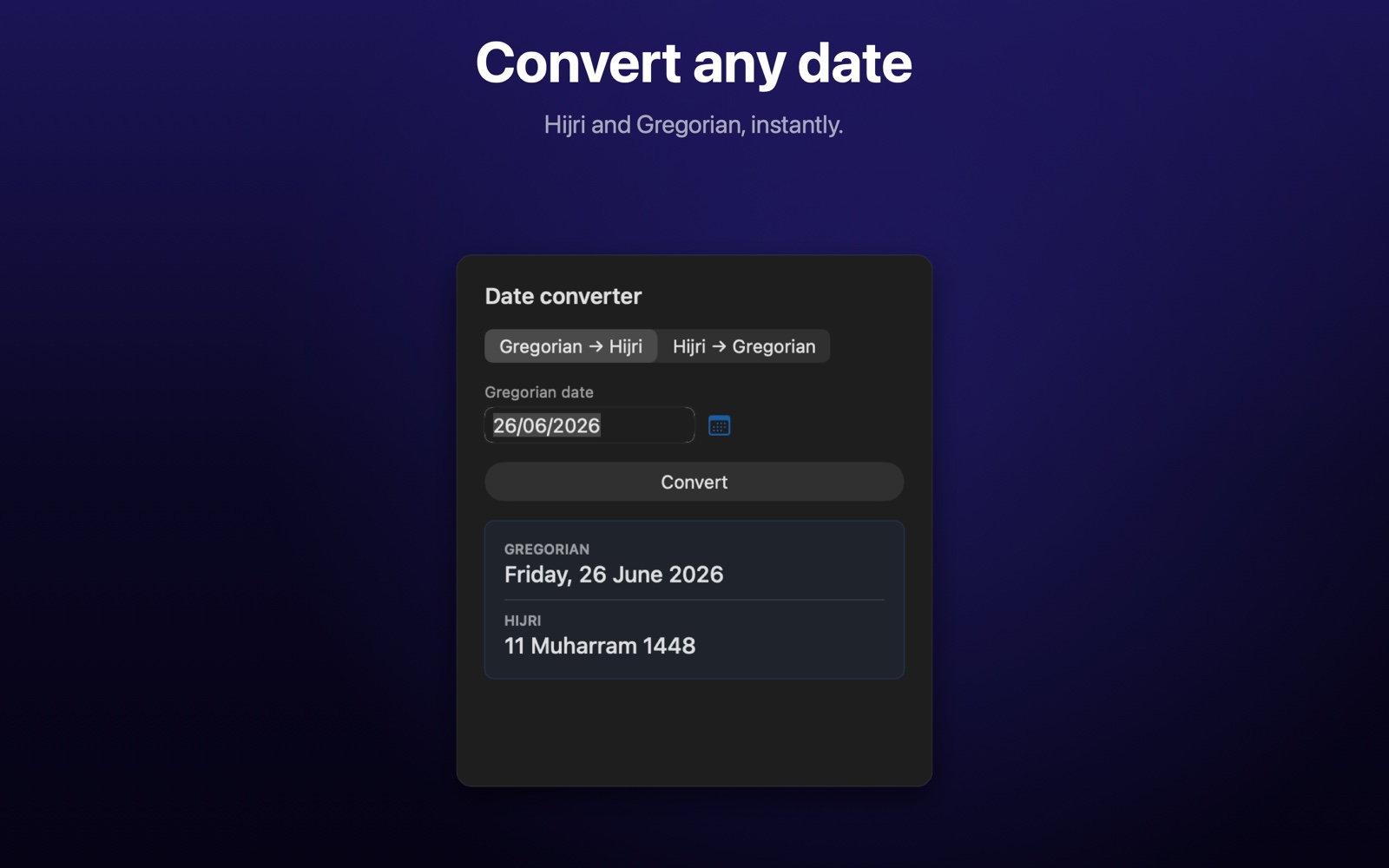
A built-in converter translates dates between the Gregorian and Umm al-Qura calendars using the Foundation calendar engine, with no network call.
-
Calendar agenda and meeting links
With your permission, Soluna reads your Mac's calendar events to show day markers, a daily agenda, and one-tap join links for Zoom, Teams, Meet, Webex, GoToMeeting, and Whereby; this stays on device.
-
Moon phase display
Moon phase glyphs reflect the current point in the lunar cycle alongside the Hijri date.
-
Quiet menu-bar utility
Runs as a background menu-bar item (LSUIElement) with optional launch at login, manual or automatic location, and a dedicated settings window.
Roadmap
- Prayer notifications. A gentle reminder before each prayer, with an optional adhan sound.
- Qibla direction. Know which way to face, right from the app.
- Quick-add events. Double-click or right-click any day to add an event on the spot, including natural typing like "lunch tomorrow 1pm."
- More calendar systems. Persian, Hebrew, Indian, Buddhist, Coptic, Ethiopic, Japanese, Chinese, and more, alongside Gregorian and Hijri.
- Imsak, Shuruq, and Midnight times. Plus a Friday highlight and a manual day adjustment for regional moon-sighting differences.
- A more glanceable menu bar. See your next prayer countdown or next meeting right in the menu bar, without opening the app.
- World clock upgrades. Add, remove, and reorder cities yourself, rename any clock to whatever means something to you, see day and night shading, and find overlapping meeting times across time zones.
- Countdowns for what matters to you. Turn on a countdown panel for your own events and occasions, just like prayer times, showing what's coming up and how many days away it is.
- Custom meeting reminders. Choose exactly when you want to be notified before a meeting, with support for multiple reminder times.
- A better date converter. Quick access as a slide-out panel instead of a separate window.
Screenshots
Version history
-
1.0.130 June 2026
First public release on the Mac App Store. A dual Gregorian and Hijri (Umm al-Qura) calendar popover, daily prayer times via the AlAdhan API, world clocks with a time scrubber, an occasions ribbon, an offline date converter, moon phases, and an optional on-device calendar agenda with meeting join links. This build refined the first-run permission screens and fixed a calendar-access issue so that allowed calendars always appear. Sandboxed for the App Store with location and calendar entitlements.
Privacy
Your data stays on your device
Soluna keeps your information on your device. It has no accounts, no advertising, and no analytics or tracking. The only data that leaves your Mac is your approximate coordinates, sent to the public AlAdhan prayer-times API to fetch prayer times, and a location lookup handled by Apple's own geocoding service to show your city name. Your coordinates are not stored or retained by the developer. Calendar events, when you allow access, are read only to show markers, an agenda, and meeting links, and never leave your device. You can deny or revoke location and calendar access at any time in System Settings, and you can set a city manually instead of using location.
Read the full privacy policy →